
YeahMaybe provides an official No Gameplay Demo specifically so players can check whether The Choicer Voicer can record and play back their microphone. It is a hardware and audio-path test, not a free edition of the full game.
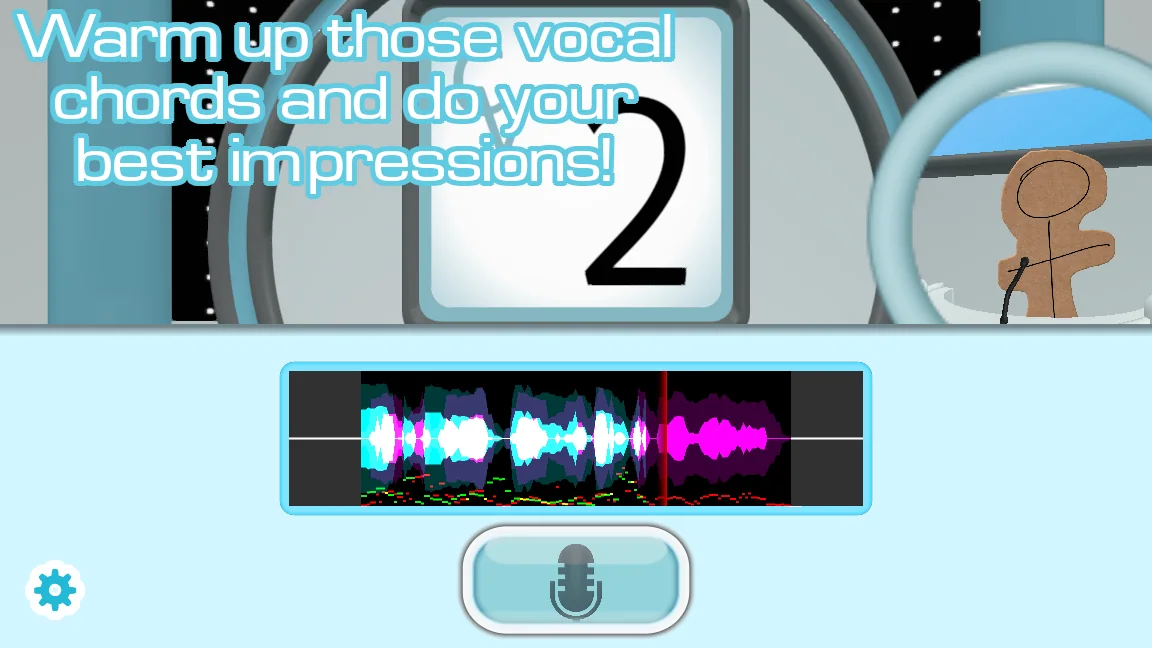
What the official demo actually checks
The official store warns that some audio setups can prevent The Choicer Voicer from recording at all. The No Gameplay Demo exists to expose that problem before a purchase: it lets you select an input, record a short sample, and confirm that the result can be played back through the output path you plan to use.
Treat a successful test as evidence for that specific device and configuration, not a guarantee for every headset, surround-sound route, virtual cable, or future game build. The demo does not include normal rounds, custom packs, local multiplayer, Dub Mode, or Twitch features, so it should never be described as a free full version.
| Test | What it tells you | What it does not prove |
|---|---|---|
| Input meter moves | The selected mic reaches the app | That recordings will play back |
| Recorded sample is audible | Capture and output work together | That every advanced mode is stable |
| Stereo test succeeds | This basic route is compatible | That a surround route will behave the same |
| Demo fails | Your current setup needs investigation | That the microphone hardware is broken |
Run the test without changing everything at once
Download the test only from YeahMaybe's itch.io listing. Connect the microphone before launching it, select a normal stereo output, close voice-chat and recording tools that may lock the device, and record one short phrase at a comfortable level. Listen for silence, clipping, the wrong input, or a device switch after launch.
If the test fails, change one variable at a time. Try the operating system's default input, disconnect unused Bluetooth or virtual devices, and repeat with a plain stereo output. Preserve the result and exact device names before installing a development build; otherwise you cannot tell which change affected the recording path.
Test the recommended 0.5.3 build on the same audio route
As of September 1, 2026, the purchase list marks 0.5.3 as Recommended for Windows and Linux. The 0.5.2 release post says its surround-sound recording workaround fixed a specific silent-recording problem for many players, while the store still warns that other microphone setups can fail.
Run the free No Gameplay Demo first, then test 0.5.3 with the same microphone and output route. The 0.5.3 release focuses on Dub Mode progress recovery rather than promising a universal audio fix. If you compare 0.5.2, 0.5.1, or the earlier dev2 test, keep each build separate and record its exact filename.
Common questions
Is the No Gameplay Demo the full Choicer Voicer game?
No. It is an official compatibility test for microphone capture and playback. Normal game modes and the custom-content system belong to the paid desktop release.
Does Choicer Voicer 0.5.3 guarantee that my microphone works?
No. Test the official demo and the recommended build on your own input and output route. The store continues to warn that some setups remain incompatible.
Sources
- The Choicer Voicer by YeahMaybeYeahMaybe on itch.io
- Version 0.5.3 released - Dub preservation updateYeahMaybe on itch.io
- Version 0.5.2 released (and I forgot to post that sooner)YeahMaybe on itch.io
- Possible mic bug fix available, please test itYeahMaybe on itch.io
Keep going
Choicer Voicer Microphone Not Working
Fix silent recordings, wrong input devices, Windows and Linux permissions, and version-specific mic problems using the demo and current official files.
Read guideOfficial Choicer Voicer Download Guide
Download The Choicer Voicer safely from YeahMaybe on itch.io, choose the recommended 0.5.3 Windows or Linux build, and keep older versions separate.
Read guideThe Choicer Voicer Latest Version
The official store recommends Choicer Voicer 0.5.3 for Windows and Linux. See its Dub Mode recovery changes, older files, and update route.
Read guide