
A good dub pack combines a short readable scene with consistent media encoding and current metadata. Use video you may distribute, test playback before recording, and package clear credits and instructions with the release.
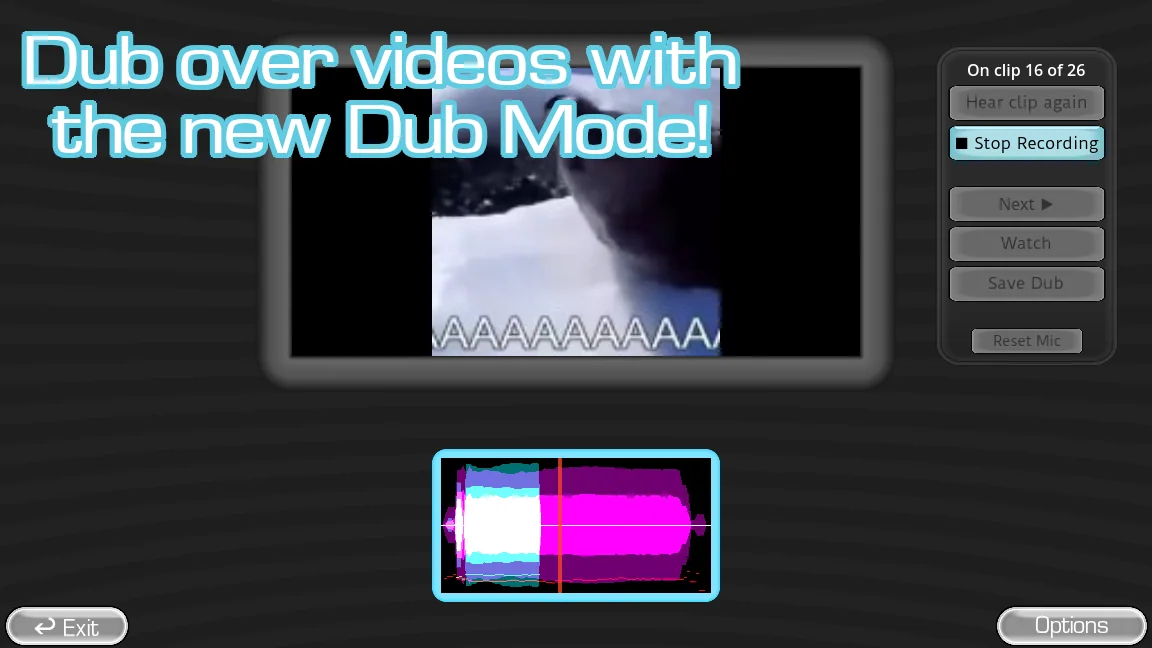
Select a scene you can actually distribute
Choose video you created, licensed, or otherwise have permission to package. Editing a scene into a game-ready format does not transfer the original owner's rights. If permission is uncertain, use original animation, public-domain media, or keep the experiment private.
The best scene has a clear speaker, a readable beginning and ending, and room for the performer to understand the action. Avoid long clips, loud background music, and rapid cuts during a first pack.
Encode and structure the content consistently
Follow YeahMaybe's current dub-pack page for accepted files, metadata, folder layout, and field names. Encode clips with consistent dimensions, frame rate, and audio level so the game does not need to switch between wildly different media profiles within one session.
Use concise filenames and human-readable titles in metadata. Keep a lossless editing master outside the distributed pack so future revisions do not repeatedly compress an already compressed clip.
- Trim the permitted source into a short scene with clean entry and exit points.
- Export a consistent delivery file and test it in a normal media player.
- Create the current dub metadata and folder structure from the official guide.
- Add credits, source and license notes, content warnings, and a pack version.
- Test the full listen, record, playback, and next-round sequence in a clean game folder.
Run technical and human tests before release
First play the scene without using a microphone. If video or source audio stutters, solve that before evaluating recordings. Next complete a short take with headphones and confirm that the player's voice remains intelligible against the scene.
Give the pack to one person who did not build it. Their ability to install, discover, understand, and complete a round reveals missing instructions that the creator may unconsciously fill in.
| Stage | What to check |
|---|---|
| Media-only test | Smooth video, clear source sound, correct duration |
| Recording test | Mic capture stays in sync and avoids feedback |
| Fresh installation | Pack appears with no private setup knowledge |
| Release review | Credits, permissions, warnings, and version are present |
Watch a practical example
Long-form gameplay showing how video dubbing changes the normal judged-round format. The player is deferred until you choose to load YouTube.
Common questions
What video format does a dub pack use?
Use the format and metadata defined by the current official dub-pack guide. Do not rely on an old community tutorial when the game's content schema may have changed.
Can I upload movie clips in a free dub pack?
Free distribution does not automatically permit copyrighted video. Use original or licensed footage, or obtain permission from the relevant rights holder before publishing.
Sources
- Dub Content PacksYeahMaybe
- The Choicer Voicer official guide siteYeahMaybe
- The Choicer Voicer: The Video Dubbing UpdateVinesauce: The Full Sauce on YouTube
Keep going
Choicer Voicer Dub Mode: How to Play and Find Dub Packs
Learn how Choicer Voicer Dub Mode works in version 0.5+, where dub packs belong, what files they require, and where to find packs for a smooth session.
Read guideHow to Make a Choicer Voicer Voice Pack
Plan, edit, structure, and test an original Choicer Voicer voice pack using the current official format, clean audio, useful metadata, and credits.
Read guideHow to Install Choicer Voicer Voice Packs
Install Choicer Voicer packs with a reversible workflow: inspect archives, keep pack folders intact, test one at a time, and diagnose missing content.
Read guide